Case 02
Acervo
An internal tool for browsing a photo library and tracking its use across campaigns. The interface brings together status filters, usage restrictions and reports for a team of 13.
- Client
- Advertising agencyConfidential · 2026
- My role
- Audit, feature definition, flows, UI Design and implementation
- Deliverables
- Internal web application and public demo
- Tools
- Claude Code, Supabase and VercelCode, database and publishing
Demofictional brand, photos and people
Context
Usage records were hard to consult while choosing images
Five art directors shared a library of 103 photos for monthly campaign materials. Each use was recorded in a spreadsheet, but consulting it during the design process was difficult.
Some photos appeared repeatedly, while others never made it into a piece. The project began with the need to make that history visible at the point of selection.
Decision 01
Starting with an audit
Before designing the interface, I checked 64 existing pieces against the photo library, page by page. Of the 103 images, 60 had never been used.
The audit established the initial history so the team could start using the tool with existing records in place.
Decision 02
Usage status as a selection criterion
Each photo displays one of three statuses: never used, used or heavily used.
Filters provide direct access to each group. Usage history becomes part of the selection process without requiring a manual review of every image’s records.
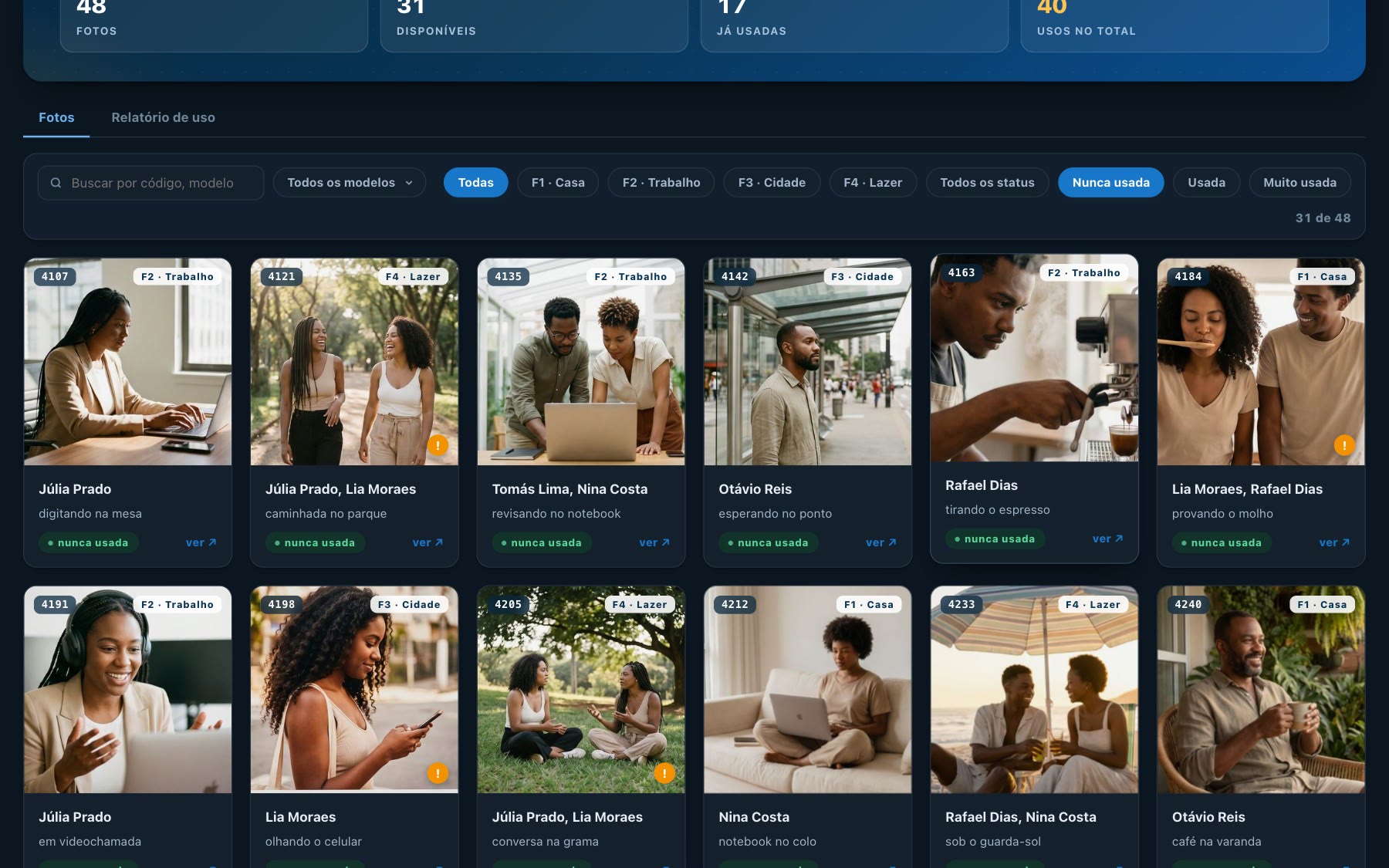
Filternever used
Decision 03
Restrictions at the point of selection
Some photos have restrictions on the themes in which they can appear. The interface attaches the notice to the image itself, making it available while browsing and choosing photos.
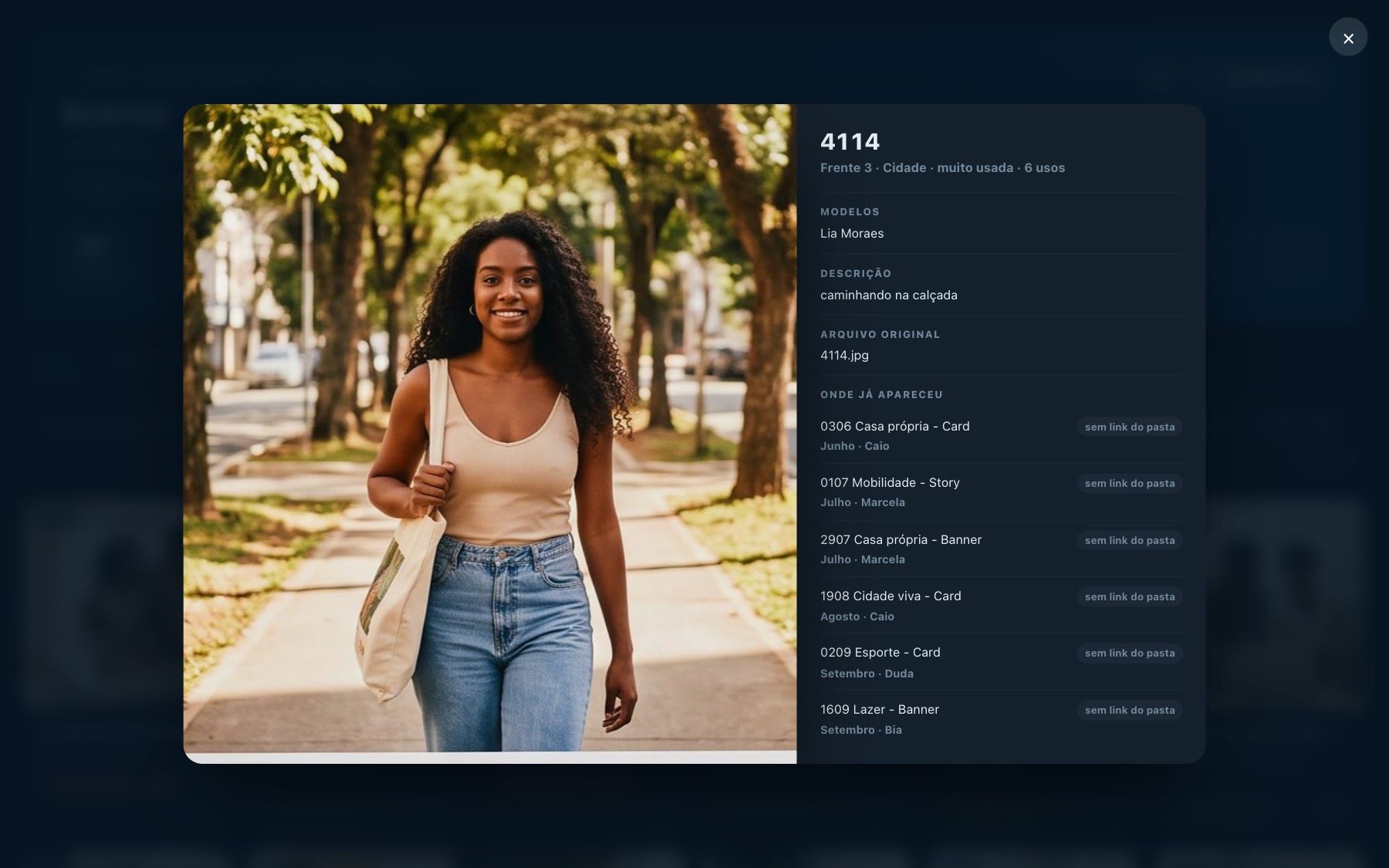
Photo detailusage rule
Decision 04
Views for design and coordination
The design team needs to browse images and record their use. Coordinators need to track that history and share the figures with the client.
The report brings together monthly records, campaign pieces and the most-used photos, drawing from the same information as the library.
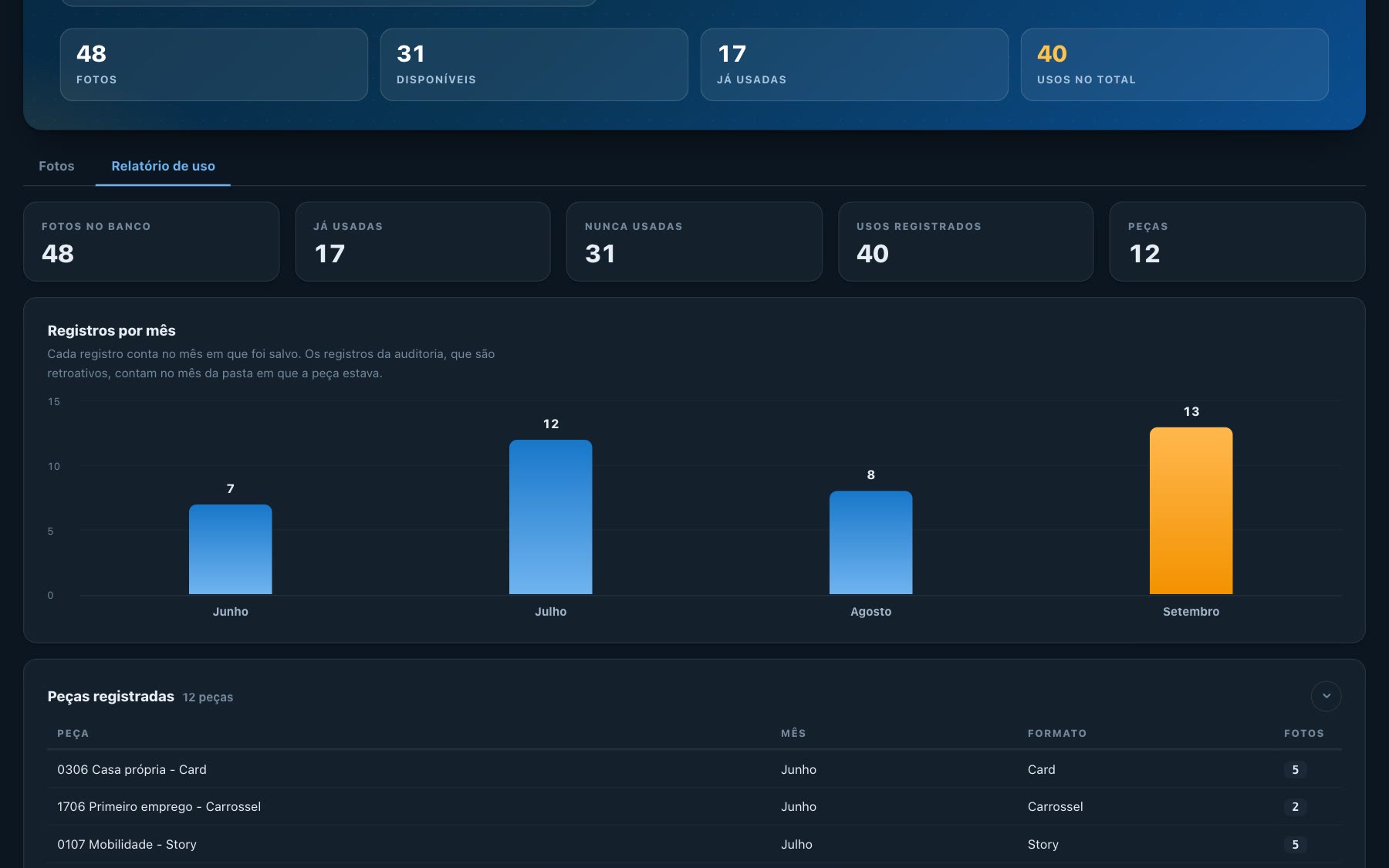
Report
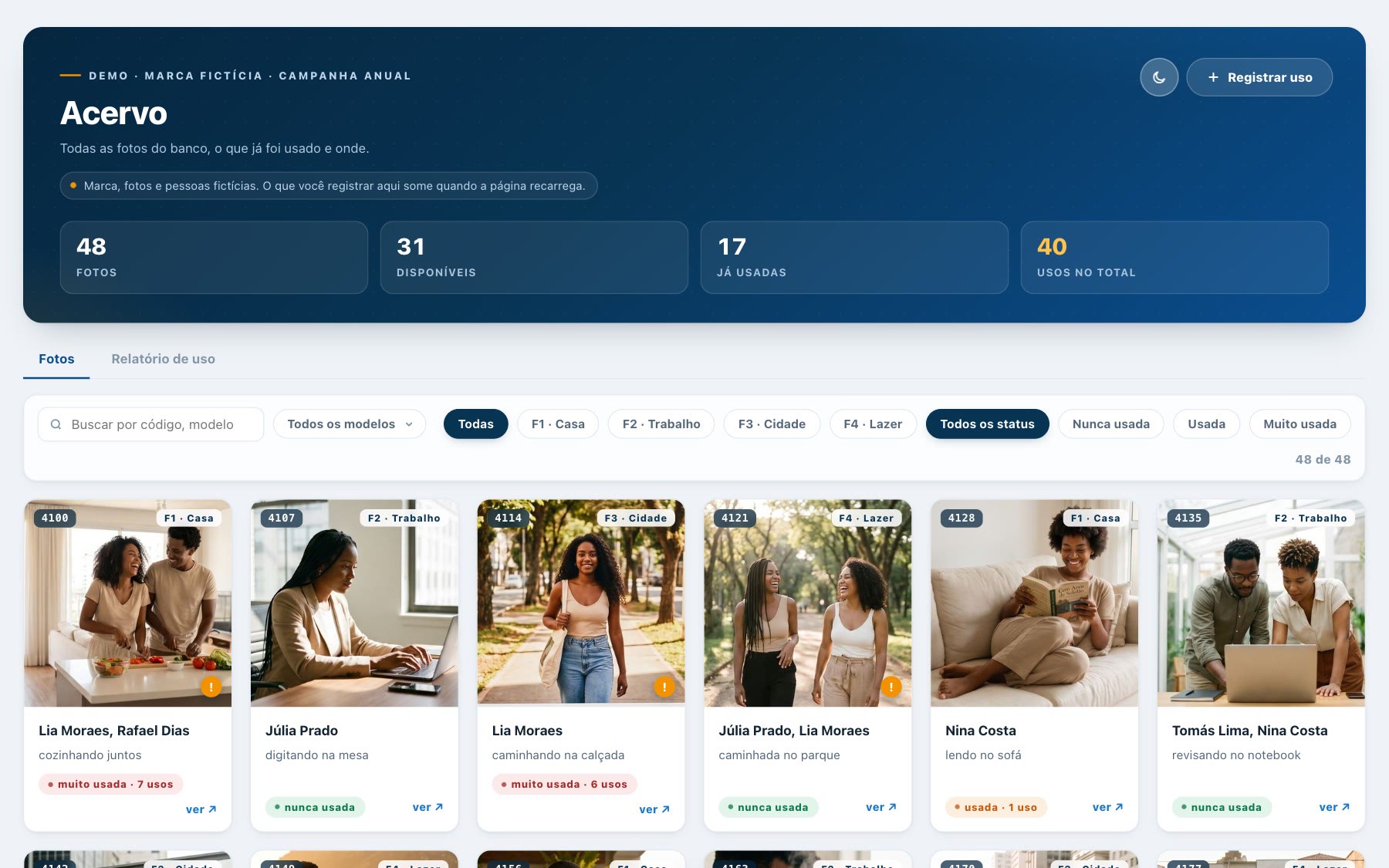
Light mode
Live demo
Interactive demo
Try browsing the library, filtering images and recording their use with fictional brand, photo and team data. Demo records reset when the page reloads.
The demo interface is in Portuguese.
Process
Implementation
I defined the tasks and rules, designed the interface, checked the figures and built the app with Claude Code, Supabase and Vercel.
The first version was ready in about three days.
What changed
Team use
Designers consult Acervo every week before choosing a photo. Coordinators use the report to track the distribution of images and answer client questions.
Next project
Juliana Lino Arq.